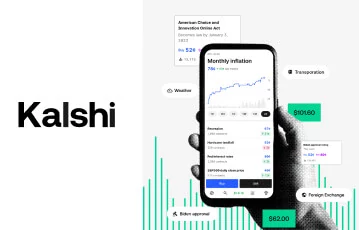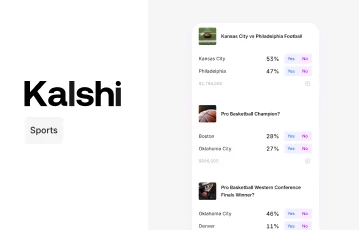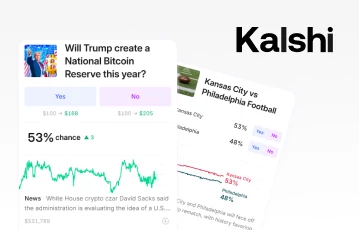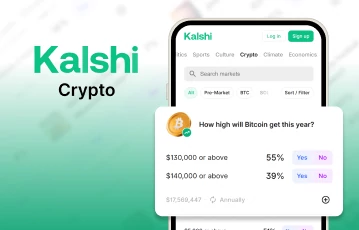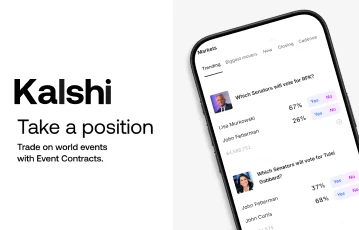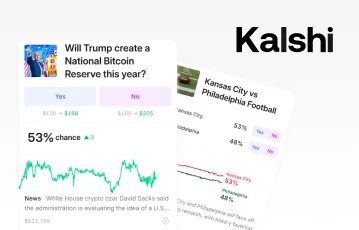
Kalshi’s app offers prediction trading in a pocket-sized format – with “yes” and “no” event contracts up for grabs on anything from presidential elections, to who might win Song of the Year at the next Grammys.
In recent weeks, we’ve been putting the app – which is available for both iOS and Android – through its paces.
And on this page, you’ll find a full overview of how the app works, what special features it offers and how to download it.
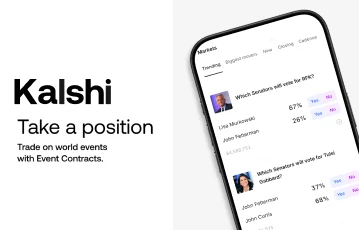
Before we get into our full Kalshi app review, allow us to talk a bit about what Kalshi is and how it works – because all this is must-know stuff for any of you thinking of trying out the brand’s app today.
In a nutshell, Kalshi is a US based financial exchange that offers futures style event contract trading on the potential outcomes of upcoming popular events, such as “which soccer team will win the Premier League?”, or “which world leader will resign this year?”.
While multi-possibility events are covered, most event contracts here are bought and sold on a binary “yes” or “no” basis.
So, that Premier League example might have “Manchester City” or “Arsenal” listed as potential outcomes, with “yes” or “no” contracts available for buying and selling on either team.
In a sense, the services offered are similar to election or sports betting at Kalshi. But it’s important to note that Kalshi isn’t actually a betting site – it’s a prediction trading platform where you’ll be buying and selling your “yes” and “no” outcomes in a derivatives style environment instead.
At the time of writing, Kalshi’s app is regulated by the Commodity Future Trading Commission (CFTC) and available in all 50 US states.
Although the app’s state level rules in this regard may potentially change at any time. So, it’s important to keep a close eye on Kalshi’s Member Agreement and T&Cs if you’re thinking of trying the service out from where you live.
As mentioned already in our intro, yes – Kalshi has an app available for both iOS and Android users. And by and large, it offers all the same features and functionality that Kalshi’s event contracts trading website does, albeit in a scaled down format better suited to smartphone and tablet users.
Here’s a brief summary of what you can expect from it:
| Type of Kalshi app | Key features | Average rating | US availability |
|---|---|---|---|
| iOS app | Slick user interface. Trade “yes” and “no” event contacts. Financials, economics, climate, culture and sports contracts available. | 4.7 stars (across 19,887 reviews) | Available in all 50 states. |
| Android app | Streamlined design. Trade “yes” and “no” event contacts. Financials, economics, climate, culture and sports contracts available. | 4.3 stars (across 2,813 reviews) | Available in all 50 states. |
Generally speaking, we encountered very few differences between Kalshi’s website, their iOS app and their Android one, aside from the obvious fact that Kalshi’s prediction market app features smaller icons and a more minimalist main menu when compared against the web version.
We found that both iOS and Android versions tend to run relatively smoothly, too – and offer a whole host of useful features that we feel new and experienced prediction traders alike will appreciate.
Our Kalshi app review will talk a bit more about said features in a sec. But first, let’s look at the general pros and cons of actually using the app on the daily.
| Special feature | Description |
|---|---|
| Smart, single tap links to individual markets | Both the iOS and Android app offer one click links to popular prediction markets like “Sports”, “Politics”, “Climate” and “World”. The app’s landing page automatically updates these to suit today’s trending sub-markets, too – with the likes of “Spotify Wrapped”, “Grammy Awards” and “Pro Football” all having their own single tap trading pages available at the time of writing. |
| Binary “yes” versus “no” system | For us, one of the best aspects of Kalshi’s app is its simplicity. Most contracts are presented on a binary, “yes” versus “no” basis, with prices set between $0.01 and $0.99 depending on perceived probabilities. This means that event contract trading on the app is dead easy to follow and very first timer friendly. |
| Advanced order type options | Once you’ve got the knack of how Kalshi’s mobile app works, there are several fun advanced features to try out, too – including: Limit orders – which allows you to specify your own exact prices for buying/selling contracts. API access trading – where algorithms can be used to place trades on your behalf, based on your own strategies and preferences. |
If you’ve read any other Kalshi app reviews aside from our own, you might have seen past reports of laggy loading times and occasional tech glitches – particularly during especially busy trading periods, such as during major college football tournaments.
Nevertheless, we found that since October 2025’s most recent outage reports, Kalshi has really ramped up its bug fixes and performance upgrades – and at our end, we really felt the difference.
While both versions of the brand’s app offer a robust support service that’s fast at providing workable solutions if ever you run into any niggling issues.
We also found that whether you’re looking to trade event contracts in a derivatives-based, Kalshi election betting style environment or you’re more interested in the app’s sports or popular culture prediction markets, the app comes stuffed full of useful tools for traders of all experience levels.
In our view, some of its most interesting and standout features, include:
What’s more, our Kalshi app review found that robust Know Your Customer (KYC) checks are carried out on all new users here, while water-tight encryption is in place, and all trades are handled by Kalshi’s own CFTC regulated clearing house. Meaning there’s a lot to like about the app from a safety and security standpoint, too.
Now you’re a little more familiar with what Kalshi’s app is, how it works and what sorts of features it offers, let’s explore how you can go about downloading it.
At the time of writing, you’ll need to be at least 18 years old to use the brand’s event contract trading services. While you’ll also need to be based in the US – although there aren’t any specific states marked down as being off limits at the time of writing.
Satisfy all that, and you can get started with Kalshi’s mobile app by following these steps:
From your smartphone or tablet, click any of our Kalshi page banners here – these will take you directly to Kalshi’s official website.
Depending on your device, click to download either the iOS or Android version of Kalshi.
Load up the app, then tap to sign up using either your Google, Apple or email account.
Enter your email address and set up a strong password.
Verify yourself via a quick four-digit code.
Complete Kalshi’s KYC checks – which will usually include uploading a government issued ID such as a passport or driver’s license.
Wait for your account to receive approval.
Sign in with your new details, and begin browsing “yes” and “no” event contracts.
We found that registering shouldn’t realistically take any longer than a few minutes. Although it is important to familiarize yourself with Kalshi’s fee structure, event contract trading rules and general T&Cs before you start taking out any positions.
Meanwhile, if you’re a complete beginner, we’d also suggest reading our recent Kalshi review, and checking out Kalshi’s own Help Center – which features several how to and “Kalshi 101” guides that provide no-nonsense info about anything else you might need.
In all, there’s a lot that impressed us about Kalshi’s app. Sure, it’s a shame that a few tech glitches and bugs have been reported in recent times.
But ultimately, this remains one of the easiest to use event contract trading apps on the market, with fully CFTC-regulated trading opportunities available across all sorts of fun and interesting popular events markets, from elections to NFL games.
If you’re interested in trying out Kalshi’s user friendly app for yourself, you can download either the iOS or the Android version directly from Kalshi via any of our official banner links on this page.
Just make sure to read up on how Kalshi works before you get started. And remember – the app’s state by state availability rules may potentially be subject to change at any time.
Kalshi enables you to trade “yes” and “no” event contracts on all sorts of upcoming events, spanning politics, sports, culture, crypto, climate, economics and more. All event listings are updated in real-time, and hot new trending sub-categories are thrown into the mix super frequently, too.
Set up the correct permissions, and we found that you can get Kalshi to send you notifications about new trading opportunities in your favorite prediction markets, or the ongoing progress of any current “yes” or “no” positions you have already taken out.
Yes, absolutely – their app is incredibly easy to navigate and use, while Kalshi’s Help Center offers comprehensive info on how the site works, how to find your way around the exchange, and how to deposit and withdraw funds using trusted various payment methods.
Loading …