SpinQuest is a top-performing sweepstakes casino with over 1,000 games from top providers. I played these games without any issues on my smartphone, thanks to the responsive and fast-loading site. However, I didn’t find any SpinQuest app to install.
If you’re looking for a SpinQuest mobile application, the absence of one shouldn’t be a deal-breaker. You can play directly on the mobile site, like I did, or install the platform as a progressive web app (PWA). Either way, you’ll have a smooth experience. Read on as I explain more about what to expect from the SpinQuest on mobile.

Right now, SpinQuest has no mobile app for Android and iOS. I didn’t find one when I checked the Google Play Store or Apple App Store. Therefore, to play on the sweepstakes platform on your smartphone or tablet, you have to use the mobile site.
As indicated in my SpinQuest review, the sweepstakes casino was launched in March 2025. It’s still new, so it’s understandable why there’s no app yet. One may be in the works. All the same, I tested the mobile site and found it reliable for gaming on the go.
Like most modern casino sites, SpinQuest supports a progressive web app (PWA). Basically, you add a bookmark to the platform on your home screen, which loads via a dedicated window each time you launch. This method feels just like a dedicated app, so I recommend it as the best alternative.
Here’s a summary of some essential details from my SpinQuest app review:
| Supported devices | iOS, Android |
| Apple App Store | ❌ |
| Google Play Store | ❌ |
| Progressive Web App (PWA) | ✅ |
| Supported browsers | Safari, Google Chrome, and others |
First of all, SpinQuest Casino works with two virtual currencies: Gold Coins (GC) and Sweep Coins (SC). I used both to play games on the mobile site after claiming them from bonuses. The Sweep Coins are promotional entries, so I was able to redeem real prizes after playing with them. In contrast, Gold Coins work only for entertainment.
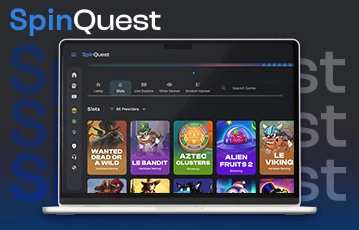
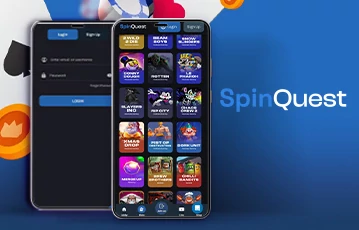
Overall, my experience with SpinQuest on mobile was smooth. The site has a modern design that looks just like an app, with well-spaced icons and game covers. As a result, finding my way around was a breeze.
If you ask me, the bottom menu is the highlight of the SpinQuest mobile interface. It features buttons to the game lobby, promotions, and the GC bundle shop. Thanks to it, I accessed these important sections with just a single tap each time.
While there are no dedicated SpinQuest apps, you can install the PWA version as an alternative. I did this using Safari on iOS and Chrome on Android, and the procedure was swift. Here’s how to go about it:
If you have an iPhone or iPad, follow these steps:
Once done, you’ll see the SpinQuest icon on your home screen. You can tap on it to visit the sweepstakes casino instantly.
Using the Chrome browser, here are the steps to install the SpinQuest web app on Android:
The above steps won’t take you more than 30 seconds to complete. As usual, the SpinQuest icon will appear on your home screen.
Are you new to SpinQuest? If so, you have to create an account after installing the web app. The process is simple, and I had it done in under two minutes. However, you can only register if you’re in a SpinQuest legal state.
For context, SpinQuest Casino is legal in the US since it operates under sweepstakes regulations. Yet, these rules vary from state to state, and not all allow online sweepstakes gaming sites. To stay compliant, SpinQuest excludes nine locations: Idaho, Michigan, Montana, Washington, Nevada, New Jersey, New York, Connecticut, and Louisiana.
If you’re not in an excluded state, follow these steps to register on the SpinQuest app via your mobile browser:
I received the SpinQuest welcome bonus of 100,000 GC and 2 SC right after creating my account. You’ll also get the bonus, and it doesn’t require a SpinQuest casino promo code or an initial purchase.
On the SpinQuest mobile platform, you can play 1,000+ games. I went over the entire collection while on the web app, and these are the top categories I found:
Most games in the SpinQuest collection are slots, among which you’ll get a few jackpots. These titles come from top software developers such as Nolimit City, BGaming, Hacksaw Gaming, and NetEnt. So, even without a dedicated SpinQuest Casino app, the mobile performance was excellent.
When you load the sweepstakes casino on your mobile browser, you can easily find your preferred slots using the search bar. If you want suggestions, these are my best picks to try:
| Slot | Developer |
|---|---|
| 2 Wild 2 Die | Hacksaw Gaming |
| Alien Fruits 2 | BGaming |
| Fire in the Hole 2 | Nolimit City |
| 101 Candies | NetEnt |
While making this SpinQuest mobile app review, I was impressed to see a couple of instant wins. Also known as fast games, these titles have simple gameplay with relatively quick rounds.
I played Plinko on the SpinQuest mobile site, a game where you drop balls off a pyramid with pegs. The target is to hit positive multipliers at the bottom section. Besides that, I also tried Speed Crash and Mines. These instant wins all ran smoothly on my smartphone without lag.
If you want more realistic gaming sessions on the web app, try the live dealer titles. I commend SpinQuest owners for adding this category, as it shows the platform is in tune with current trends. From my checks, the section has live blackjack, roulette, baccarat, and game shows.
My best live dealer titles on SpinQuest include Auto Roulette, Gravity Blackjack, No Commission Baccarat, and The Kick Off. These titles are all from ICONIC21, so they’re properly optimized for any screen size.
SpinQuest scores high points with its progressive web app, responsive mobile interface, and 1,000+ optimized games. However, a dedicated mobile application will still make a huge difference. From these points, here are the pros and cons I noted during my review:
It may feel disappointing that no dedicated SpinQuest app is available to install. However, it’s important to remember that the site is new, and an application may be launched later. For now, the mobile site does an excellent job.
I suggest installing the SpinQuest web app for playing on mobile. The advantage is that it won’t take up any space on your smartphone or tablet since it loads directly via your browser. Yet, you get 1,000+ optimized games of different categories. If you’re ready to get the app, visit SpinQuest Casino today.
You can download the SpinQuest application as a PWA version using Safari on iOS or Chrome on Android. The sweepstakes casino doesn’t have a dedicated app at the moment.
Yes, the SpinQuest Casino app is legit. It’s a web-based application that allows you to play games for free and redeem real prizes in line with US sweepstakes laws. All purchases on the platform are completely optional.
Yes, SpinQuest has 1,000+ casino games, all optimized for mobile. You can play them via browsers on smartphones and tablets, as each one is responsive enough to suit any screen size. Also, the gaming software loads quickly with no lag.
No, the SpinQuest Casino mobile app doesn’t pay real money. It’s a sweepstakes gaming platform, so you play games with virtual currencies and not traditional money. That said, you can redeem real prizes after playing with Sweep Coins and meeting the requirements.
Loading …