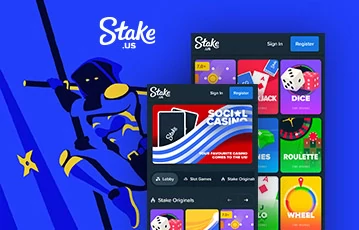
If you’re looking into creating an account at Stake.us, it will be helpful for you to learn how to get started and manage your new Stake account as a returning player. If that’s you, we have everything you need.
In this guide, we’ll cover how to open an account and how to maintain the security of your account to ensure you won’t fall victim to any hacks or illegal activity. Keep reading for a complete guide on maintaining your account, especially as far as security is concerned. Whether you’re a beginner or seasoned gamer, this is for you.
If you are intrigued by Stake.us and want to know exactly how to get your own Stake account, this section will walk you through the whole process. Here’s a complete step-by-step guide to registering a new Stake.us account:
| Step #1: | Visit the Stake.us website by clicking the links on this page |
| Step #2: | Click the ‘Register’ button to load the signup form |
| Step #3: | Enter a few basic details, including your name, date of birth, and address |
| Step #4: | Input the promo code ‘DEADSPIN’ to claim our exclusive welcome bonus |
| Step #5: | Verify your account by uploading the requested documents |
| Step #6: | Sign in to your account and retrieve 55 Stake Cash, 260K Gold Coins, and a 5% Rakeback bonus |
Before you become a Stake owner and open your new account, you will want to use our promo code to claim the exclusive welcome offer available for our readers. Entering ‘DEADSPIN’ into the designated box on the registration form will add 55 Stake Cash (SC), 260K Gold Coins (GC), and a 5% Rakeback bonus to your account.
Keep in mind that if you forget to enter the code at registration, you will lose your eligibility, and will not receive the same deal. So, make sure you have a note of the promo code – you really don’t want to lose out on this.
Now you know how to sign up at Stake in the US, it’s important that you are aware of where you can access your account from. You must be physically located in a permitted state at any time you try to access your account or you’ll be geo-blocked. For context, make sure you don’t attempt to login from the following restricted states:
Stake.us accounts are secure thanks to various security protocols implemented by the brand, including SSL encryption software. However, there are a few things you can do personally to ensure that your player account is as secure as possible. Furthermore, we have picked up a few tips and hacks for Stake.us that we want to share with you.
2FA (two-factor authentication) adds an extra layer of security to help prevent hacks or illegal access to your Stake account. Typically, you will log into your account with a username and password. But when 2FA has been activated, you will be sent a random code to your chosen mobile device via SMS. This means only you will be able to gain access to your account.
By default, this also adds extra security to Stake Cash redemptions, as you will also receive a code via SMS to verify your prize redemption requests. If you want to proceed with this, all you need to do is install Authy or Google Authenticator on your preferred device and head to the security page on Stake.us to follow the instructions.
Our Stake.us reviews highlighted a simple recovery process if you lose access to your account at any point. You can regain access by sending an email to the security team at Stake.us, you’ll find the account security email address listed on the Contact page on the Stake.us website. Provide the team with an explanation of your situation and they will help you to restore your account.
It’s your responsibility to ensure that your personal details are up to date. If there are any changes you need to make, like your home address or email, you must update this on your account. Just note that if you need to change your email address, you will need to reach out to the Stake.us team for assistance. Responses will take up to 24 hours, and the team will help you to make the necessary update.

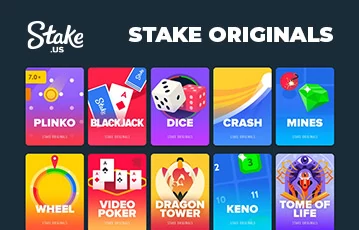
Exclusive Stake Originals Games. Impressive live games library. 3,000+ games from Hacksaw Gaming and more. Playthrough: 3x. T&Cs and 21+ apply
We completely understand that you may find yourself in a position where you want to close your Stake.us account for good. In this case, the team is there to assist you. Before you go ahead and request the closure of your account, you need to establish the reason. This is because different procedures depend on the reason behind your account closure.
For instance, if you are closing your account temporarily, but would like the chance to re-open it at a later date, this can be requested via the support email address. But if you are looking to take a break or opt for self-exclusion, you will need to follow the instructions on the responsible gaming page, under the topic of ‘Break in Play and Self Exclusion’.

Well, there you have it, a complete guide to managing your account at Stake.us. While you don’t have access to all the management tools yourself, there is a way for everything to be done swiftly. Whether you want to upgrade security or change your personal information, this can all be done within 24 hours.
Yes, of course! You will need to send an email to the relevant Stake.us email address. The one you use will depend on your reason for closing the account.
If there’s a change to any of your personal details, you can update most of these under your profile. But if you need to change your email address this can only be done by contacting the Stake.us support team directly.
Depending on the reason for your account closure, it may take the relevant Stake.us team up to 24 hours to complete the request.
Loading …