A Sweepstars app has yet to grace our screens, but that doesn’t mean you won’t be able to enjoy it all through your mobile device. We found that you can download a quick link or visit directly through your browser.
In this guide, we discuss exactly how the mobile site transfers across to the smaller screens and whether there are any noticeable differences from the desktop site. We cover usability, virtual tokens, support, and even pull up a seat at the virtual tables to ensure that you leave with a well-rounded look at all that is in store.

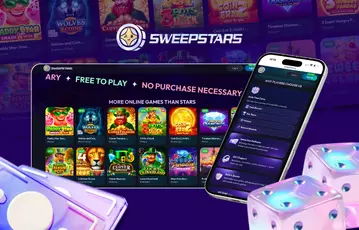
Those of you who have already made the most of our Sweepstars review will be well aware that the site has yet to launch a mobile app. You can, however, look to download a link to your laptop or mobile phone, allowing you to quickly launch the desktop or mobile site. Alternatively, of course, you can just click the links in this guide to go there directly.
Although some of you will be a little disappointed to hear that you won’t be able to access Sweepstars through a dedicated app, all is not lost. As you will soon see, much of the same experience transfers over to those smaller screens.
First, we should talk about availability. Sweepstars is not a real money site, meaning the mobile site is available in just about all US states. In fact, as of today, the only exceptions include Washington, Nevada, Michigan, Idaho, Connecticut, New Jersey, Montana, Louisiana, New York, California, and Tennessee. For everyone else, you’ll need to be able to confirm you are over the age of 18 (19 or 21 in certain states), and be able to pass the verification checks.
If you are already familiar with the desktop experience, then it won’t take you too long to get to grips with all that the Sweepstars mobile site offers. Instantly, you will be hit with that vibrant, starry, neon display, welcoming you to the “universe of wins”. As you will see, there have been a few slight changes to the layout, including the introduction of footers, smaller gaming libraries, and a dedicated burger menu that soon highlights other key areas. However, bar this, the same experience remains.
A quick click on the Sign Up or Log In tabs will get you online, and a quick click of each gaming title will load things up. We found that streams were stable, pages were simple enough to navigate, and all had been condensed to suit mobile action.
Before we start to compare the welcome offers and Sweepstars daily bonus, let us quickly touch on the virtual tokens used here. Much like the desktop site, you can expect to use Gold Coins and Sweeps Coins, and this is how they differ.

Excellent live dealer section. Crash games from developers like BGaming. Fishing arcade collection. T&Cs and 18+ apply
Now that we’ve reminded you of how to play at Sweepstars, we want to show you how you can get your hands on these virtual tokens throughout. Thankfully, as there is no Sweepstars app, you won’t find any discrepancies between being an active desktop or mobile member.
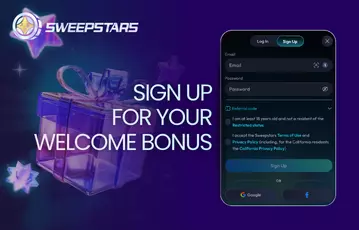
As you would anticipate, this begins at the sign-up stage, where you will find 15,000 Gold Coins and 1 Sweeps Coin are released through a no-purchase bundle. This does not require a promo code, and is certainly not the end of your bonus experience.
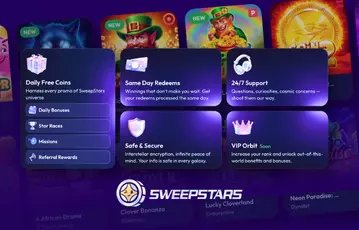
The daily missions are a real standout of the bonus experience, regardless of whether you are playing on the desktop or mobile site. Here, you will find five mini tasks, each with a bonus attached. Should you manage to complete all five missions within 24 hours, you’ll find the Main Prize is released. So far as the actual missions are concerned, you should expect to ‘Play on 5,000 GC’ or similar.
The Spin Wheel is another classic from Sweepstars. This promotion is known as the Wheel of Fate and will require you to use 10 Stardust to spin. Stardust can be picked up through GC purchases and promotions, and when used on the Spin Wheel, it has the potential to unlock all sorts of prizes, ranging from 500 GC to 5 SC.
You can also invite your friends and split the spoils of 20,000 Gold Coins and 25 free Sweeps Coins along the way. Arguably, inviting friends is easier through the mobile site, as you can simply copy the link, open up your messages, and forward to your friends. Provided they register using this link and spend $24.99 on GC purchases, you’ll find 10,000 Gold Coins and 20 Sweeps Coins in your account, and your friends will find an extra 10,000 Gold Coins, 5 Sweeps Coins, and 5 Stardust.
As with the desktop site, you’ll find plenty of ways to have your issues resolved on the go at Sweepstars. We found a dedicated hotline, which is solely for US purchases and prize redemptions, as well as a help center, email address, social media sites, and a live chat feature.
The How it works tab is a good place to start. Here, you are guiding through the very basics of Sweepstars, including SC and GC, purchases, and redemptions. Should your query not revolve around these foundations, then you can click on the Personal Manager tab. This provides you with the chance to connect with an agent. We found that responses are swift, and all was dealt with in a few short minutes. We also liked that older conversations were stored, allowing you to pick up where you left off.
| Customer Service |  |
|---|---|
| Available Languages: | English |
| Email: | [email protected] |
Finally, we suspect that many of you will be interested in establishing whether redemptions can be completed in the same streamlined manner. Well, if our experience is anything to go by, then you can soon verify your account and choose between gift cards and cash prizes on the go.
Although the layout of the site has changed slightly, you will still need to visit the Wallet section and click on Redeem. Here, you will find a current snapshot of your redeemable balance. If you haven’t verified your details just yet, you will first need to make a pitstop over at the Profile section, and share some documents (photo ID and household bill). Once cleared, you will then need to meet the minimum redemption limits before submitting your request.
| Method | Min. limit | Playthrough | Received via |
|---|---|---|---|
| Gift Card | 40 Sweeps Coins | 1x | Email gift card (H&M, Starbucks, etc) |
| Cash Prizes | 100 Sweeps Coins | 1x | Debit card transfer |






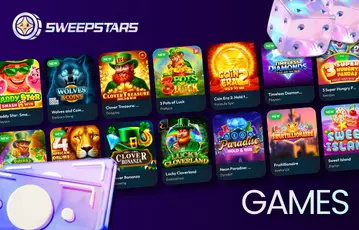
The mobile gaming experience has a lot to live up to on mobile, and we think that the team has done a great job of transferring things over. As we mentioned, the design has altered slightly, meaning you can visit the main gaming lobby by clicking on Games from within the footer. From here, you will then find a search bar, headers, and thumbnails to ensure you can soon find your favorites from over 2,600 games.
One of the standouts from our main review was the potential of viewing all key gaming details before getting started. We were very pleased to see that this was transferred over, allowing you to check play limits, max prizes, bonus games, and volatility ahead of your first spin. As the same lobby transfers over, you can expect games from BGaming, Avatar UX, OnlyPlay, and Platipus. However, new releases are forever being added to the mix – watch this space.
Sweepstars may be a little behind schedule with its dedicated mobile app, but that hasn’t dented our ratings here today. You will find that you can download a quick-link or visit the mobile site directly through your browser, opening up a world that mimics the desktop site, bar a few aesthetic changes. This includes the same busy lobby, the same great range of offers, and contact with the ever-reliable support team.
No. At the time of building this review, Sweepstars had yet to launch an app. You can, however, access things through your mobile device.
Yes. Bar the overall design and layout, we found very few differences between the Sweepstars desktop and mobile sites. This included the promotions section, where you will find a whole host of Sweepstars no-purchase bonuses available.
No. You will find that you can download a quick link to the desktop site on both iOS or Android, or you can simply visit the mobile browser version. We found no differences, but will be sure to update you when an app is released.
Loading …