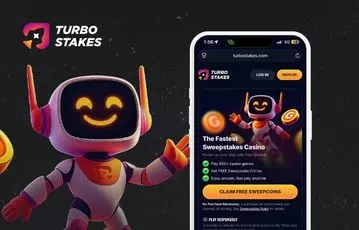
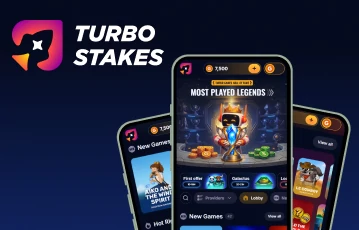
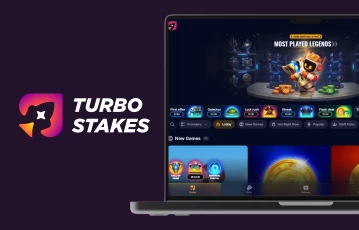
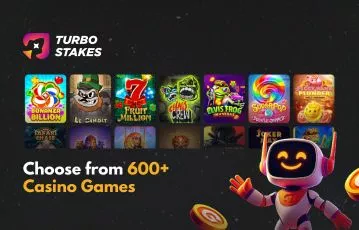
The TurboStakes app gives you almost everything found on the desktop site, but packages it into a quicker mobile experience for games, promotions, support, and account management. Native apps are available for both iOS and Android, while the mobile browser remains an option if you would rather avoid another download.
One of the better things about TurboStakes is that you are not forced into one particular setup. You can use the main desktop site, open the mobile-optimized site through your phone browser, or download one of the native apps from the Apple App Store or Google Play Store.
Based on our latest TurboStakes review, the mobile app versions retain the important functionality of the main website rather than stripping the experience down to the basics. That means you can move between devices without giving up access to promotions, your virtual tokens, the Coin Store, your account features, customer support, or any potential prize redemptions.
| TurboStakes feature | Native mobile app | Desktop site |
|---|---|---|
| Casino-style games | Yes | Yes |
| GC and SC modes | Yes | Yes |
| Daily rewards | Yes | Yes |
| Turbo Wheel and promotions | Yes | Yes |
| VIP features | Yes | Yes |
| Customer support | Yes | Yes |
| Optional GC purchases | Yes | Yes |
| Prize redemption access | Yes | Yes |
| Installation required | Yes | No |
Access to 1,700+ sweeps slots and social live games. Daily login bonus, daily wheel, missions, VIP perks. 24/7 support via live chat, phone, and email. T&Cs and 18+ apply
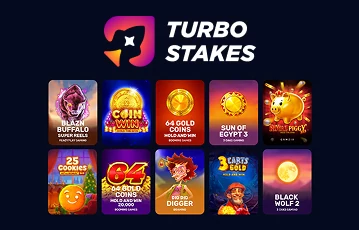
Games are obviously where you will spend most of your time, and the native apps give you access to a substantial selection. The current Android app lists more than 1,500 mini-games and themed titles, covering classic formats, newer releases, bonus-heavy games, and other casino-style options. What changes on mobile is how you browse them.
Desktop gives you much more screen space, which we prefer when scrolling through a large lobby, comparing games, or jumping between several categories. On a phone, you naturally see fewer titles at once, meaning there is a little more scrolling involved.
Once you actually load a game, however, the difference becomes much smaller. The interface is designed around touch controls, and the app is particularly useful when you already know what you want to play in one of TurboStakes allowed states. Open the app, find the title, and you can be into a game without loading the full site through your browser first.
Next up, we look at promotions. This is one of the areas where having TurboStakes installed on your phone makes the most practical sense. The current seven-day login streak rewards you for returning regularly, while Turbo Wheel spins, Daily Missions, the Royal Spin Trail, and VIP features provide further promotional activity.
On the desktop, all of these are available, but you need to deliberately sit down and visit the site. Through the app, you can be claiming the latest TurboStakes no-purchase bonus within a matter of seconds.
Your VIP activity is also tied to your TurboStakes account rather than the device you are using. The Core Club provides seven loyalty levels, with ongoing activity contributing towards progression and benefits such as boosted daily rewards, exclusive TurboStakes promo codes, Coinback, level-up promotions, and birthday rewards.
You can therefore use the desktop for a longer session, return through your phone later, and continue exactly where you left off. This is an important point because a useful social casino app needs to do more than load games.
Support is another area worth considering because problems do not necessarily happen while you are sitting at a computer. TurboStakes currently provides support through email, phone, and live chat, and we were pleased to see that this was the same for those using the app.
For straightforward issues, the ability to check your account and contact support from the same device is useful. Desktop may still be preferable if you need to compare several documents or work through a more complicated verification query, but you are not forced onto it simply to ask for assistance.
| Customer Service |  |
|---|---|
| Available Languages: | English |
| Email: | [email protected] |
| Telephone: | 877 237 0608 |
Redemptions are another key part of the experience that carry across well. Eligible Sweeps Coins can ultimately be redeemed for prizes once you have met TurboStakes’ playthrough requirements and met the 100 SC minimum limit.
Using the native app does not create a separate redemption process or remove those conditions. You can play, monitor your SC balance, complete the necessary account steps, and access your redemption options without needing to move everything over to the desktop version.
The strongest part of the TurboStakes mobile experience is that you are not giving up the important desktop features simply because you move onto a smaller screen.
Both native apps feature games, daily promotions, VIP progress, the Coin Store, support access, and account features, and current ratings of around 4.7/5 on both major stores suggest the overall mobile experience has been well received. Desktop still wins for browsing a large game library, but mobile is arguably better suited to quick game sessions and claiming those daily offers. You can see what this all looks like for yourself by clicking on the banners on this page and getting started.
TurboStakes currently offers native apps through both the Apple App Store and Google Play Store. You can also use the mobile-optimized website without installing either version.
The mobile experience retains the platform’s bonus offerings, allowing you to access daily rewards and other ongoing offers without switching to desktop.
Neither version is dramatically better across every area. We prefer mobile for quick games, daily rewards, and checking promotions, while desktop’s larger screen makes it more comfortable when browsing the game library or dealing with longer sessions.
Loading …